
Single-line diagram and floor plan, drawn in one go.
Drawing software for Belgian electricians and DIYers, following the AREI. Draw on the plan or on the diagram: Libbie fills in the other and keeps both in sync.
Libbie is available in Dutch and French and made for installations in Belgium.
1 click + 1 keyPer point on the plan
Pay onceNo subscription
AREIBelgian symbols and conventions
Always in syncPlan and diagram checked continuously
Hybrid drawing
Start on the single-line diagram, or would you rather start on the floor plan?
You choose! And you can switch at any moment. Prefer to draw the floor plan first? Pick a socket, click it into the room and type the circuit letter on your keyboard. In the background, Libbie draws the single-line diagram, automatically with the matching breaker and cable. Prefer to start with the single-line diagram? Then Libbie clearly shows which points still need to go on the plan.
Per point: 1 click + 1 key
- clickClick: switch in the bathroom
- AKey A: circuit A created, with 16 A breaker and 3G1.5 cable
- clickClick: light
- AKey A: the light joins circuit A
- clickClick: socket
- BKey B: new circuit B, with 20 A breaker and 3G2.5 cable
- clickClick: second socket
- BKey B: added to circuit B as point 2
- The single-line diagram? Libbie drew it in the meantime.
From blank page to inspection-ready plan in minutes
- New projectYour company details and logo are already filled in.
- Floor planDraw walls, doors and windows, or import an SVG from Magicplan.
- CircuitsClick the points onto the plan and type the circuit letter. The diagram grows along.
- PrintLibbie checks that everything matches and prepares the inspection sheets.
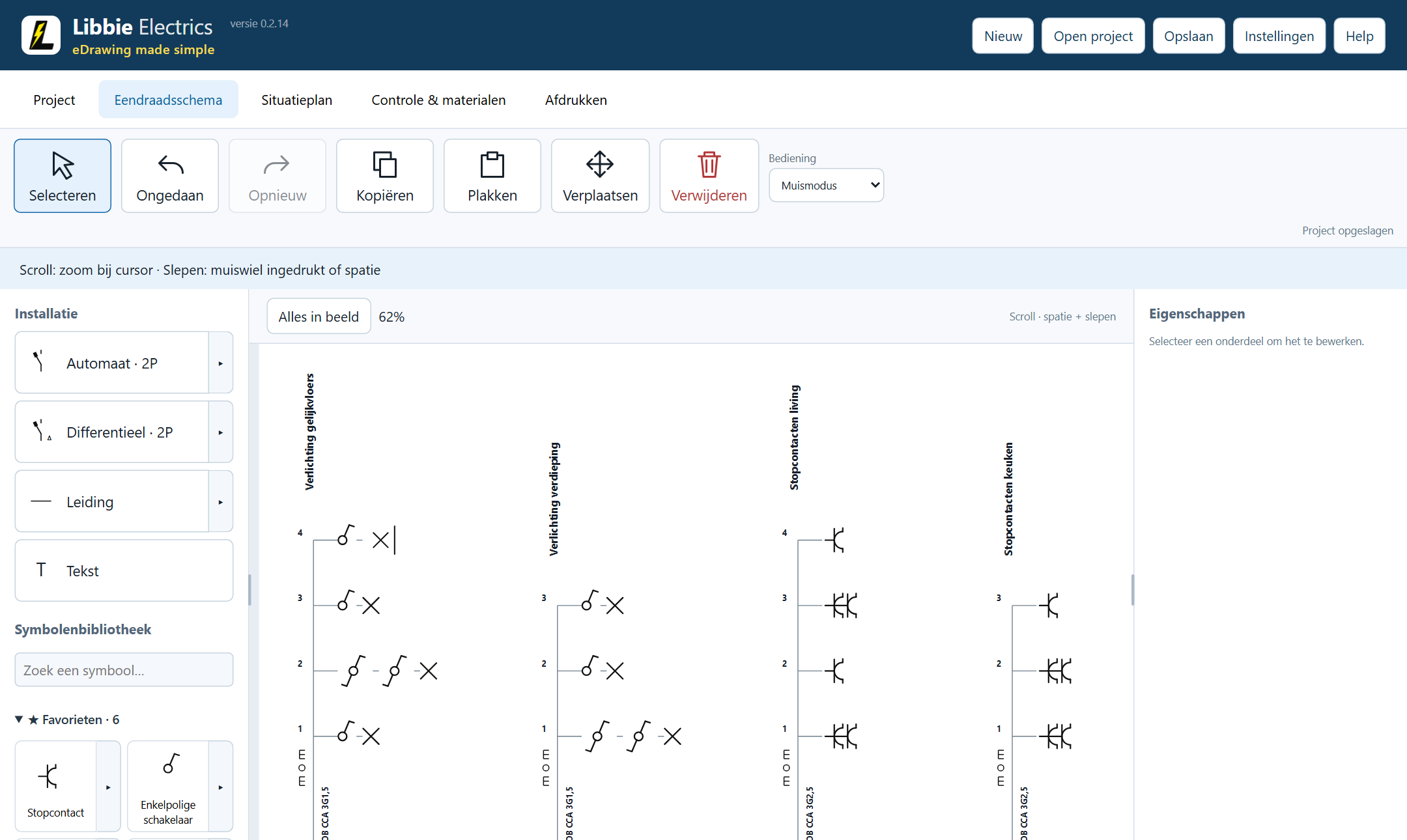
Single-line diagram
Main switch, RCDs, breakers and circuits in a few clicks, following the AREI.
- Insert a circuit and every letter and number follows.
- Pick 16, 20 or 32 A and the cable adapts.
- Copy a whole circuit and paste it wherever you need it.
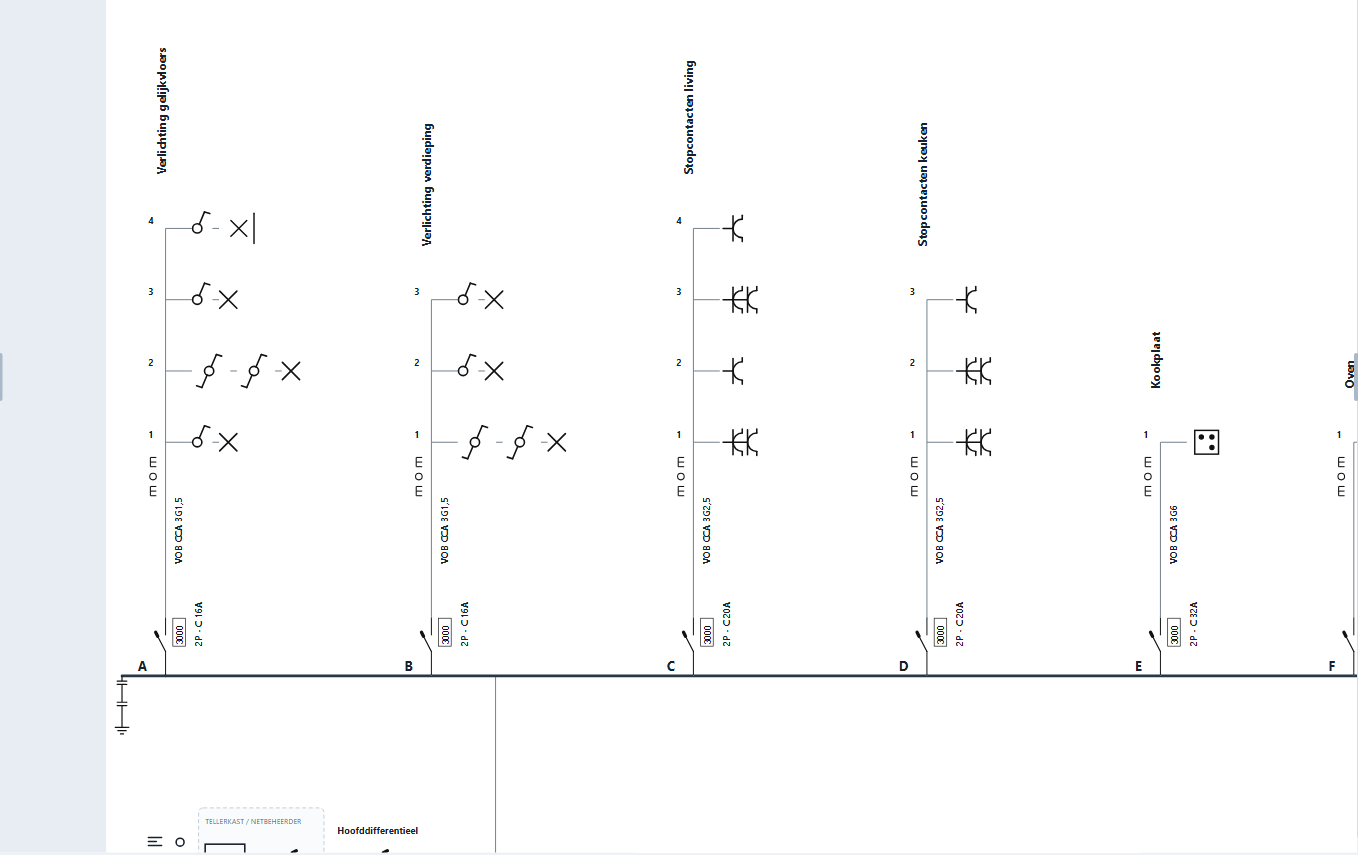
Floor plan
Libbie recognises SVG files from Magicplan, among others, and turns them into an editable floor plan. No more drawing the floor plan yourself!
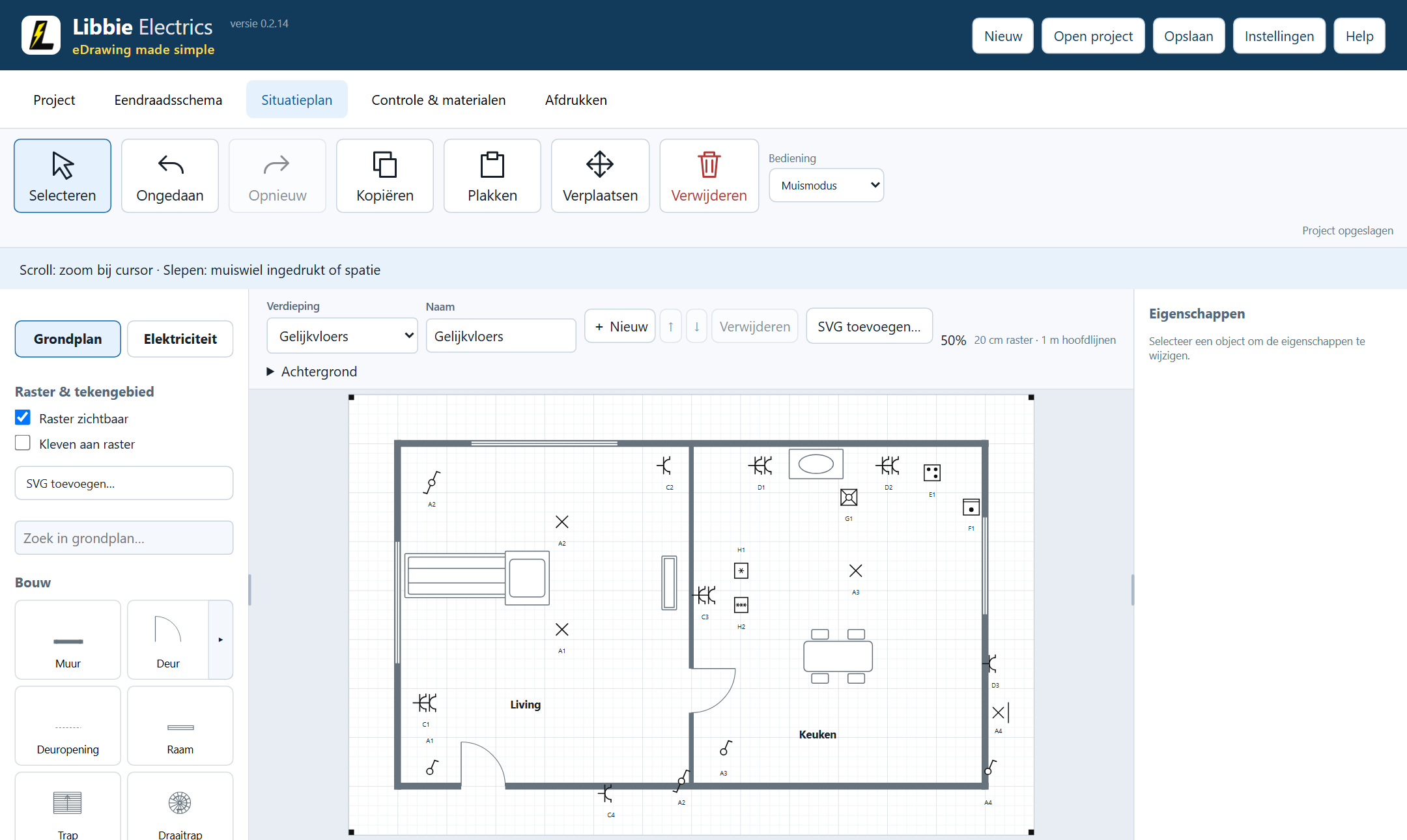
Ready for inspection
Libbie puts your single-line diagram and floor plan on sheets with a title block, ready to print or save as PDF.
- Before printing, plan and diagram are compared once more.
- The bill of materials for the board and installation is included.
- Your logo and company details are on every sheet.
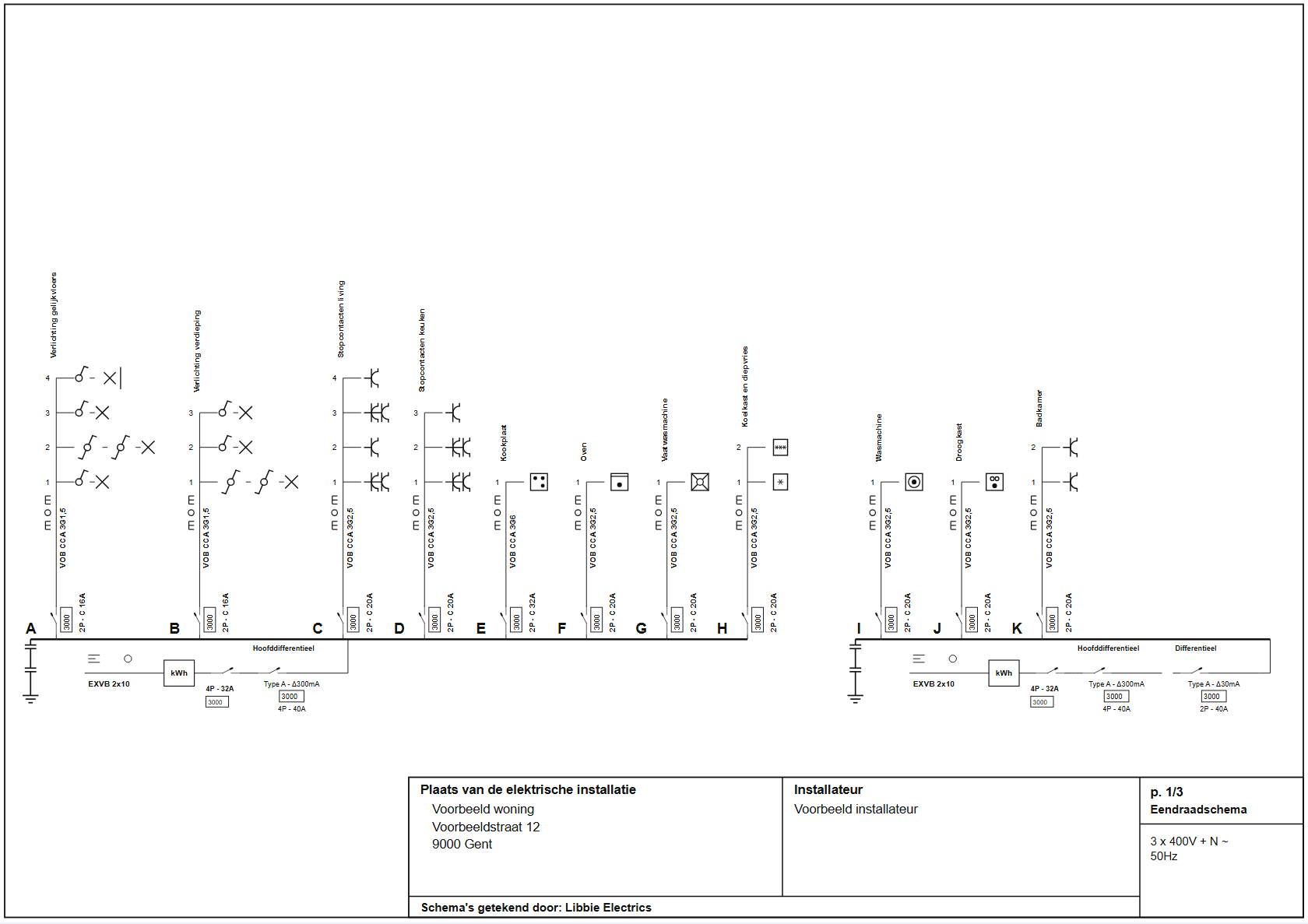
Switching
Bring your work to Libbie.
No need to start over. What you have already drawn comes with you.
Floor plans from Magicplan
Import the SVG file and your walls, doors and windows are there straight away. That is drawing work you skip.
Diagrams from your old program
Libbie reads PDFs made by other drawing programs and imports them as an editable document. A quick check and you carry on. No scans: the PDF must come straight from the drawing program.
Another program? We help
Using a program Libbie doesn’t know yet? Send us an example. As a licence holder, we help you switch personally.
For electricians, by electricians.
We prove it can be done differently: faster, and simply better.
Licence
€149.99 excl. VAT
€181.49 incl. VAT · pay once, no subscription
- All features, unlimited projects
- All updates free
- Free transfer to a new computer
- Have your say: as a licence holder you suggest ideas for the next updates
You receive an invoice (businesses via Peppol) and your licence code by email. Both are always available in your customer portal. Licence terms (Dutch)
Free demo
Every feature, up to 5 circuits and 25 symbols per project, with a DEMO watermark on printouts. Buy a licence afterwards and simply carry on in the same project.
Download for WindowsWindows 10 and 11 · about 95 MB
Frequently asked questions
Is the program available in English?
Not yet: Dutch and French for now. Other languages will follow, free for customers.
Do I need internet?
Not to draw. Libbie checks your licence when the computer is online; go online at least once every 30 days.
Does it run on a Mac?
Not yet. Libbie runs on Windows 10 and 11.
I’m using, or will soon use, a new device and want to move my licence. Is that possible?
Yes, free of charge. Email us or request it in your customer portal, and we will move your licence to your new device.
Can I use existing plans?
Yes. Import a floor plan as SVG from Magicplan, or read an existing single-line diagram from a PDF. Check everything after importing.
Can I buy as a private individual?
Yes, for €181.49 incl. VAT. As long as the licence is not activated, you can withdraw within 14 days.
Is a diagram from Libbie valid for the inspection?
Libbie draws following the AREI, with the Belgian symbols. As the installer you remain responsible for the diagram and the installation.
Windows shows a warning when installing?
Choose “More info”, then “Run anyway”. This will disappear once our installer is signed.
Every diagram finished faster.
Try Libbie for free on one of your own projects. Convinced? One licence for € 149.99 excl. VAT and you keep drawing without limits, in the same project.
Contact
A question, a problem or an idea for a new feature? Email us.
- Emaillibbie.electrics@gmail.com
- DiscordLibbie community